Start With the Investment, Not the Subscription
Consider a hypothetical growing distributor. Finance closes the books in one system, purchasing uses spreadsheets, sales checks stock through messages, and the warehouse maintains its own item file. Every month-end requires reconciliation before leadership can trust the numbers. Microsoft Dynamics 365 Business Central looks like a sensible way to bring those processes together. The first budget question arrives immediately: how much will implementation actually cost?
The license quotation answers only part of that question. A workable budget also includes discovery, configuration, data migration, integrations, extensions, reporting, testing, training, cutover and support. It includes the time your own employees spend making decisions, cleaning records and validating results. It should also allow for the difference between what the business does today and what it agrees to change.
This guide separates official Microsoft licensing prices from illustrative planning assumptions. It explains the main Dynamics 365 Business Central implementation cost drivers, shows how to build a three-year budget, and identifies expenses that commonly appear too late. The purpose is not to produce an instant quotation. It is to help you define a scope that can be estimated, challenged and delivered with fewer surprises.
What Is Microsoft Dynamics 365 Business Central?
Business Central is Microsoft's ERP application for small and midsize organizations. It connects general ledger and finance processes with sales, purchasing, inventory, supply chain operations, warehouse activity, projects, service and manufacturing, depending on the license and configured scope. Reporting can use built-in views, Excel and Power BI. Microsoft 365 integration supports work across familiar collaboration tools, while Power Platform provides additional automation and application options where licensing and architecture allow.
For an implementation budget, the important point is not the length of the feature list. It is the number of business processes that must work together at go-live. A finance-only deployment has a different testing boundary from one that also promises available-to-promise inventory, warehouse transactions, landed cost, production orders and customer-specific reporting.
Business Central is commonly evaluated by organizations moving from entry accounting products, disconnected tools, Dynamics NAV, Dynamics GP or older ERP estates. Transaction volumes, entities, locations, regulatory needs, integrations and data history indicate complexity better than company size.
Our Business Central implementation and consulting page describes the service boundary.
How Much Does Dynamics 365 Business Central Cost in 2026?
A complete budget separates the Microsoft subscription from the work and operating costs around it. The following categories should appear in your model even when the amount is zero or included in another line.
| Cost category | What to include | Main budgeting question |
|---|---|---|
| Microsoft licensing | Essentials, Premium, Team Members and applicable capacity | Which named users need which rights? |
| Implementation services | Discovery, design, configuration, testing and deployment | What scope and acceptance criteria are included? |
| Data migration | Extraction, cleansing, mapping, trial loads and reconciliation | Which records and history are actually required? |
| Integrations | CRM, e-commerce, payroll, banking, warehouse and APIs | Who operates and monitors each interface? |
| Custom development | AL extensions, custom APIs and specialized documents | Why can configuration or an app not meet the need? |
| Training | Role-based sessions, materials and internal attendance | Who trains new users after go-live? |
| Support and maintenance | Hypercare, incident support, updates and administration | What service level and hours are required? |
| Third-party applications | AppSource products, middleware and related subscriptions | Which recurring vendor charges sit outside Business Central? |
Microsoft publishes software prices; implementation partners price a defined service scope. Do not treat a professional-services range as an official Microsoft rate. Ask which deliverables, assumptions, responsibilities, exclusions and change-control rules support an estimate.
Use one formula: initial investment plus recurring subscriptions, internal effort, support and planned changes. Use the same currency and time horizon throughout. Tie contingency to identified risks rather than hiding it in an unexplained total.
Microsoft Business Central Licensing: Essentials, Premium, and Team Members
Information last verified: November 23, 2026. Microsoft's US pricing page lists the following prices in USD per user per month, paid yearly. They are official list prices for the United States, not quotations for the UK, Europe or Australia. Regional currency, tax, agreement and renewal terms require a current local quote.
| License | US list price checked November 23, 2026 | Intended use | Key budgeting caution |
|---|---|---|---|
| Business Central Essentials | $80 user/month, paid yearly | Core finance, sales, purchasing, inventory, supply chain, warehouse and project needs | Confirm that no required user needs Premium capabilities |
| Business Central Premium | $110 user/month, paid yearly | Everything in Essentials plus service management and manufacturing | For mixed plans, use separate environments and matching user entitlements |
| Business Central Team Members | $8 user/month, paid yearly | Limited read access, workflow approvals and select record updates | It is not a lower-cost full-user license |
Source: Microsoft Business Central pricing. The same page notes that certain agents require separately purchased Copilot Credits. Keep those consumption charges outside the base-user calculation unless they are explicitly required.
Start with a role matrix covering the records users read or change, their approvals, companies and functions. Map those needs to the November 2026 Dynamics 365 Licensing Guide. Team Members rights are for the named user's own limited activities, including specified quote and workflow actions, not unrestricted transaction processing. Permission sets control security; they do not expand entitlements.
Microsoft Learn states that Business Central online licenses are purchased through the Cloud Solution Provider program. Eligible Microsoft 365 users can also receive configured, limited read-only access to shared records in Teams. See licensing and Microsoft 365 access.
Power BI, Power Platform, Microsoft 365, capacity and third-party apps may create separate costs. Review them rather than assuming every integration is included.
Business Central Implementation Cost Breakdown
Implementation effort becomes easier to estimate when each workstream has an output, an owner and an acceptance condition.
Discovery and Business Analysis
Discovery covers process mapping, requirements, reporting, integration inventory and gaps. Cost rises with entities, conflicting processes and unavailable decision-makers. Name process owners and require a prioritized scope with exclusions, not just workshop notes.
System Configuration
Configuration includes companies, accounts, posting groups, dimensions, tax, currencies, customers, vendors, items, workflows and permissions. Exceptions and inconsistent policies add work. Standardize where possible and document every deviation requiring design or testing.
Data Migration
Migration can include master records, opening balances, open documents and history. Cleansing and reconciliation often cost more than file movement. Decide who repairs data, supplies mappings and approves control totals. Justify historical detail separately.
Integrations
CRM, e-commerce, payroll, banking, warehouse and API connections need mappings, identity, retries, duplicate prevention, monitoring and reconciliation. Phase an interface only when the remaining manual process is workable and owned.
Customizations and Extensions
Test standard configuration before custom AL development. Apps add subscription and compatibility considerations; extensions require design, testing, documentation and maintenance. Compare lifetime cost with changing the process.
Testing and Quality Assurance
Testing covers processes, integrations, permissions, migration reconciliation and user acceptance. Finance agrees balances and postings; operations proves order and inventory scenarios. Missing test data, expected results or approvers adds cost. Fewer cycles are not a saving if defects reach production.
User Training
Use the configured system and realistic role-based transactions. Budget for employee attendance and updated procedures, not only trainer time. Recordings can supplement hands-on validation, not replace it.
Go-Live and Support
Cutover needs a freeze plan, final migration, reconciliation, integration checks, fallback criteria and decision-makers. Define when hypercare ends, ongoing service levels, and how incidents, updates and enhancements move into normal support.
Planning Your Business Central Implementation Budget?
YoungBrainz Infotech can help you assess your business processes, migration requirements, integrations, and implementation scope before preparing a project estimate.
Business Central Implementation Cost by Company Size
Company size is a useful scenario label, not a pricing shortcut. The following illustrations describe scope and effort drivers only. They are not market-rate estimates or quotations.
| Scenario | Illustrative scope | Main cost drivers | Sensible delivery approach |
|---|---|---|---|
| Small business: 5–15 users | Core finance and purchasing, limited integrations, straightforward opening balances | Data readiness, reporting, user availability and any hidden process exceptions | Standard-first phased implementation |
| Growing mid-sized business: 20–50 users | Finance, sales, purchasing and inventory, several integrations, broader reporting | Item and customer quality, warehouse rules, interface reliability and cross-team testing | Discovery, prioritized scope and rehearsal-based cutover |
| Complex organization: 50–150+ users | Multiple entities or locations, advanced operations, custom integrations and governance | Intercompany rules, localization, security, historical data and change coordination | Phased program with formal governance and environment strategy |
Small business scenario. A single entity using standard ledger, purchasing and sales can limit effort with clean master data and opening balances. Inventory at go-live, searchable history and limited sponsor availability add work. Keep contingency for data repair and reports.
Growing mid-sized scenario. Departments share transactions, so integration and end-to-end testing become substantial. Phasing by entity or process can reduce simultaneous risk but extend parallel running and temporary interfaces.
Multi-entity or complex scenario. Charts, currencies, tax regimes, locations and security groups add design and validation. Custom integration and governance need named owners. Do not multiply a small-project estimate by user count; model entities, locations, interfaces and acceptance cycles directly.
Business Central Implementation Timeline: How Long Does It Take?
The schedule should follow evidence and dependencies. These illustrative planning scenarios assume timely decisions and available process owners; they are not delivery guarantees.
| Scenario | Illustrative planning window | Conditions behind the assumption |
|---|---|---|
| Focused scope | Approximately 10–14 weeks | One entity, standard processes, limited migration and interfaces, prompt approvals |
| Moderate scope | Approximately 16–24 weeks | Several departments, inventory, multiple integrations and repeated migration rehearsals |
| Complex program | Approximately 6–12 months or longer | Multiple entities or locations, significant remediation, phased adoption and formal governance |
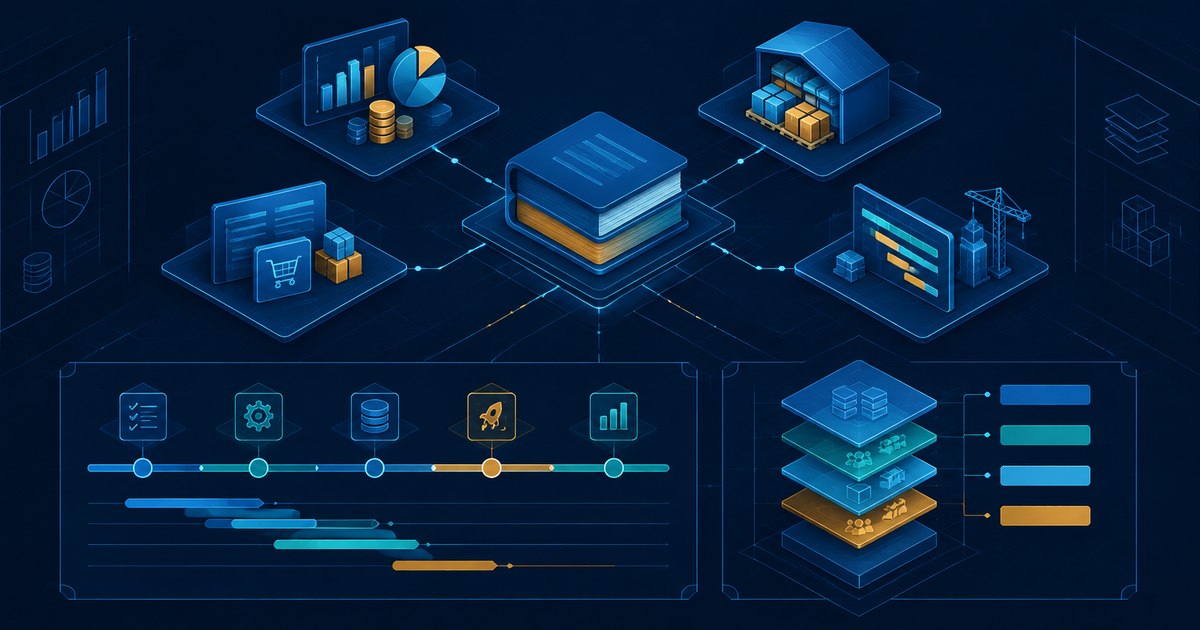
DISCOVERY -> DESIGN -> CONFIGURATION -> MIGRATION + INTEGRATION
    -> TESTING -> TRAINING -> GO-LIVE -> STABILIZATION
Discovery establishes scope. Configuration proceeds alongside data preparation, with repeated migration and integration trials. Testing proves complete processes and reconciliation. Training follows a stable configuration, and stabilization confirms ownership before closure.
Late decisions, poor data, unavailable staff, changing scope and third-party lead times extend the schedule. Protect decision and validation windows. Removing reconciliation or acceptance testing shifts cost into production rather than saving it.
Business Central Cloud vs On-Premises: Cost Considerations
Microsoft currently documents both Business Central online and on-premises deployment. The supported choice should follow operational, regulatory and technical requirements, not a claim that one model is always cheaper.
| Consideration | Business Central online | Business Central on-premises |
|---|---|---|
| Infrastructure | Microsoft operates the cloud service; no local SQL Server installation for the application database | Customer or hosting provider supplies and operates required infrastructure |
| Licensing | Current online user subscriptions through CSP; verify capacity and add-ons | Rights and acquisition depend on applicable agreements and Product Terms |
| Maintenance | Microsoft manages service updates; customer tests processes and extensions | Customer or partner plans and performs infrastructure and application updates |
| Security responsibility | Microsoft secures the service; customer governs identities, permissions, data and connected apps | Customer controls a larger stack, including servers, network, SQL and access |
| Integration | Supported APIs, connectors and cloud-compatible network patterns | More direct infrastructure control, with customer-owned connectivity and reliability |
| Operational cost | Subscription, support, integrations, apps and administration | Licenses or subscriptions plus infrastructure, backup, maintenance and specialist operations |
Online reduces infrastructure administration but not access governance, extension testing or integration monitoring. On-premises offers more infrastructure control and more responsibility for patching, recovery, performance and upgrades.
Compare equivalent resilience, security, support and upgrade levels. Include servers and SQL where applicable, integration services, recovery expectations, sandboxes, testing and administration. Microsoft's deployment overview documents current options. Qualifying subscriptions may include dual-use rights, but these are non-perpetual and do not include every supporting server license or support obligation.
Business Central vs NetSuite: Implementation Cost Considerations
A useful Business Central vs NetSuite budget compares the same operating scope. Do not compare a core finance implementation on one side with multi-entity inventory, e-commerce and manufacturing on the other.
Licensing structures, user definitions, modules and contract terms differ. Request current official or partner quotations for the actual roles and entities. Implementation estimates should identify migration depth, integrations, custom records or extensions, reporting, environments, training and support. A lower subscription can be offset by required modules or implementation work; a higher subscription can still produce a lower total in a different scope.
Customization deserves particular attention. Compare how each proposed solution handles your specific exceptions and what upgrades will require. Evaluate reporting with your own dimensions and reconciliation rules. For integrations, compare production-grade monitoring and maintenance, not connector presence.
Our detailed Business Central vs NetSuite comparison covers the broader platform decision. For cost, normalize both proposals into one three-year model with the same assumptions and exclusions. If a supplier cannot map its quotation to that model, the uncertainty itself is a finding.
How to Reduce Business Central Implementation Costs Without Compromising Quality
Cost control works best when it removes unnecessary work rather than necessary evidence.
- Define requirements before development. Resolve process ownership, scope and acceptance criteria during discovery.
- Prioritize standard functionality. Demonstrate configured processes before commissioning extensions.
- Avoid unnecessary customization. Require a business reason, alternatives analysis and maintenance estimate for each gap.
- Clean legacy data early. Start with customers, vendors, items, units, opening balances and dimensions that affect go-live.
- Phase nonessential integrations. Keep only interfaces needed for a safe initial operation, with owned manual controls for the rest.
- Use clear change control. Show cost, schedule and testing consequences before adding scope.
- Assign internal process owners. Give named people authority and time to decide and validate.
- Prepare users before go-live. Role-based practice reduces avoidable support and process errors.
- Validate workflows early. Test realistic exceptions, permissions and accounting outcomes throughout configuration.
- Plan post-launch support. Budget stabilization and continuing ownership instead of treating go-live as the finish line.
The trade-off is important. Removing history can reduce migration work but require an accessible archive. Deferring an integration can reduce initial effort but create temporary manual entry. Using standard functionality can lower maintenance but require process change. Record who accepts each consequence.
How to Choose the Right Business Central Implementation Partner
Evaluate the delivery system behind the proposal. Relevant ERP experience matters, but so do process understanding, disciplined challenge and evidence. Review discovery, migration, integration, testing, training, security and support as connected disciplines.
Ask ten questions:
- Which parts of our scope have you implemented in a comparable process environment, and what will you do differently for ours?
- What assumptions and exclusions produce this estimate?
- Which standard capabilities do you recommend before customization, and how will gaps be decided?
- Exactly which data will you migrate, who cleans it, and how will balances be signed off?
- How will each integration handle identity, duplicates, failures, retries, monitoring and reconciliation?
- What test evidence will business users receive before go-live approval?
- How are roles, permissions, environments and changes governed?
- What training and process documentation remain with our team?
- Which changes are included, and how are new requests estimated and approved?
- Who owns hypercare, ongoing support, updates and escalation after launch?
A transparent proposal identifies deliverables, responsibilities, milestones and acceptance criteria. Assess the proposed team and method, and verify any claimed certification independently.
Also assess adjacent custom software development, Power BI reporting and Power Platform integration capabilities where the scope requires them.
Business Central Implementation: Fixed Price vs Time and Materials
The commercial model should match what is known.
| Model | Best fit | Client advantage | Main risk to manage |
|---|---|---|---|
| Fixed price | Stable, documented scope with clear acceptance criteria | Predictable fee for the defined outcome | Change requests and assumptions can create friction or hidden buffers |
| Time and materials | Evolving requirements, remediation or uncertain technical work | Flexible prioritization and transparent effort | Weak governance can allow spending without a finished outcome |
| Phased implementation | Larger programs with separable business outcomes | Earlier value and learning between phases | Longer parallel operation and repeated cutover work |
| Discovery-first | Complex migration or unclear scope | Better estimate and design before major commitment | Discovery must produce decisions, not postpone them indefinitely |
Fixed price transfers some estimation risk in exchange for detailed scope and change control. Time and materials allows flexibility but needs budget caps, prioritization and forecast reviews. Neither removes acceptance criteria.
Discovery-first suits poorly understood data, customizations or integrations. Require useful outputs: scope, architecture, migration strategy, risks, backlog, estimate and roadmap.
Business Central Total Cost of Ownership Over 3 Years
A three-year view prevents implementation and subscription decisions from being evaluated in isolation. The worked example below is entirely hypothetical except for the US Microsoft list prices verified on November 23, 2026. It is not a Microsoft quotation, a YoungBrainz quotation, a customer result or a market average.
Assume 20 Essentials users and 5 Team Members for 36 months, with no price changes, discounting, tax or user growth. Essentials costs 20 × $80 × 36 = $57,600. Team Members costs 5 × $8 × 36 = $1,440. Base licensing therefore totals $59,040. All other figures are invented planning assumptions in USD.
| Cost line | One-time cost | Three-year ongoing cost | Three-year total |
|---|---|---|---|
| Implementation services | $90,000 | $0 | $90,000 |
| Internal backfill and training time | $20,000 | $0 | $20,000 |
| Business Central base licensing | $0 | $59,040 | $59,040 |
| Support and administration | $0 | $36,000 | $36,000 |
| Third-party apps and integration operations | $0 | $18,000 | $18,000 |
| Enhancements in years two and three | $0 | $30,000 | $30,000 |
| Illustrative total | $110,000 | $143,040 | $253,040 |
The support assumption is $12,000 per year, apps and integration operations are $6,000 per year, and enhancements are $15,000 in each of years two and three. Replace every assumption with your proposal and operating model.
Separate committed recurring charges from discretionary enhancements. Add expected user growth, price changes, additional environments, Copilot consumption, reporting licenses and contingency where relevant. Then run downside cases for delayed go-live, extra migration cycles and dual-running. The useful output is a range with visible drivers, not false precision.
How to Calculate ROI From Business Central Implementation
Start with baseline measurements before promising benefits. Candidate outcomes include fewer manual journal or order entries, a shorter financial close, less reconciliation, improved inventory visibility, more consistent purchasing, faster access to reliable reports and retirement of disconnected tools.
For each outcome, record current volume, time, error rate or cost. Define who measures the result and what is attributable to Business Central. Cash savings require an explicit effect such as released capacity, avoided hiring or reduced external spending.
A simple framework is: net benefit equals validated operational benefits minus total ownership cost. ROI equals net benefit divided by total ownership cost, multiplied by 100. Payback is the point at which cumulative validated benefits exceed cumulative investment. Use the same period and include internal effort and recurring costs.
Do not assume a percentage improvement. Run conservative, expected and upside cases with evidence for each. Report qualitative benefits separately rather than converting them into unsupported cash.
Business Central Implementation Checklist
Use this checklist before approving the final scope and budget.
- Business objectives: measurable outcomes, baseline metrics and named executive sponsor agreed.
- Stakeholders: process owners appointed with authority and allocated project time.
- Processes: current and proposed workflows documented, including exceptions and approvals.
- User licensing: role-to-license matrix checked against current Microsoft use rights and regional quote.
- Data readiness: sources, owners, cleansing, retention, history decision and reconciliation totals defined.
- Integrations: systems, direction, volume, identity, failures, monitoring and operating ownership recorded.
- Reporting: required financial, operational and document outputs prioritized with acceptance examples.
- Security: companies, roles, least privilege, segregation of duties, environments and support access designed.
- Customization: every gap has an alternatives assessment, estimate and maintenance owner.
- Training: role-based sessions, realistic exercises, procedures and new-joiner materials planned.
- Testing: end-to-end scenarios, permissions, integrations, migration reconciliation and sign-off owners agreed.
- Go-live: freeze, final loads, fallback criteria, cutover communication and command structure rehearsed.
- Support: hypercare exit, incident route, service levels, updates, enhancements and budget ownership defined.
- Commercials: currency, taxes, payment milestones, assumptions, exclusions, change control and recurring charges visible.
Keep the checklist in the project governance pack. An item marked not applicable should have a reason, and an unanswered item should remain a risk rather than disappearing from the proposal.
Need Help Defining Your ERP Implementation Scope?
A structured discovery process can help identify technical dependencies, customization needs, and potential project risks before implementation begins.
Final Thoughts: Budgeting for a Successful Business Central Implementation
The reliable budget is built from scope, not a universal cost per user. Microsoft licensing provides a visible starting point, but implementation effort depends on processes, entities, data, integrations, reporting, customization, testing and adoption. Internal time and long-term ownership belong in the same model.
A smaller initial scope can work when it preserves controls and leaves a practical path for later phases. Standard functionality can reduce maintenance if the business accepts the process implications.
Before committing, assess requirements and data. Convert uncertainty into assumptions, price three years of ownership, and require acceptance criteria for every workstream. Leadership then has a decision it can explain and govern, not just a total.
Frequently Asked Questions
How much does Dynamics 365 Business Central implementation cost?
There is no defensible universal implementation fee. Scope, companies, user roles, data quality, integrations, reporting, customization, testing and training determine the estimate. Use the framework in this guide, then price a documented scope through discovery rather than relying on a market average.
What is the monthly license cost of Business Central in 2026?
Microsoft's US pricing page, checked on November 23, 2026, lists Essentials at $80, Premium at $110 and Team Members at $8 per user per month, paid yearly. These are US list prices in USD. Regional pricing, tax, agreements and renewal terms can differ.
How long does Business Central implementation take?
A focused implementation may be planned in weeks, while multi-entity or integration-heavy programs can take many months. Requirements clarity, data readiness, decision speed, customer availability, migration rehearsals and testing evidence determine the schedule. Treat every timeline as an estimate until discovery validates it.
Is Business Central suitable for small businesses?
Yes, when the business needs integrated finance, purchasing, sales, inventory or project control and can support the implementation discipline. A small user count does not automatically make the project simple. Clean processes, limited integrations and standard functionality make a phased adoption more manageable.
What is the difference between Business Central Essentials and Premium?
Essentials covers core business management including finance, sales, purchasing, inventory, supply chain, warehouse and project capabilities. Premium includes Essentials plus service management and manufacturing. Confirm the exact required features and user mix against Microsoft's current licensing documentation before purchasing.
Does Business Central implementation include data migration?
Only if the contract explicitly includes it. Clarify which master records, opening balances, open documents and historical transactions are included, who cleans the data, how many trial loads are planned, and who signs off reconciliation. Migration tooling does not remove these responsibilities.
Can Business Central integrate with existing CRM and e-commerce systems?
Yes, through supported connectors, APIs, middleware or custom integration. Budget for field mapping, identity, error handling, retries, monitoring, reconciliation and future changes. A successful API connection alone is not evidence of a reliable production integration.
What are the hidden costs of ERP implementation?
Common omissions include data cleansing, internal staff time, report redesign, additional test cycles, third-party subscriptions, integration operations, change requests, training, cutover support, license changes and process redesign. Keep an explicit assumptions register and contingency tied to identified risks.
Is Business Central cheaper than NetSuite?
Not automatically. Compare equivalent user roles, entities, modules, transaction volumes, integrations, customization, reporting, support and implementation scope over the same period. Use current quotes for both products. List license price alone cannot establish the cheaper operational outcome.
How do I choose a Business Central implementation partner?
Evaluate relevant process experience, discovery quality, migration and integration methods, testing evidence, security, documentation, training, transparent assumptions and post-launch ownership. Ask for a scope and acceptance model, not just a day rate or an attractive total.
Official Microsoft Sources and Verification Notes
Product and licensing information was checked on November 23, 2026. Prices and rights can change; verify the local quote, Product Terms and current documentation before procurement.
- Business Central pricing for US Essentials, Premium and Team Members list prices and billing terms.
- Dynamics 365 Licensing Guide and Business Central licensing for current licensing guidance.
- Premium features and Microsoft 365 access for capability and limited-access distinctions.
- Deployment overview for online and on-premises options.
- Supported data migration paths and cloud migration planning for migration assessment.
Plan Your Microsoft Business Central Implementation With Confidence
From requirements analysis and system integration to implementation planning and post-launch support, YoungBrainz helps businesses approach ERP projects with clearer scope and realistic expectations.
Talk to Our Microsoft Solutions Team Explore Business Central Services