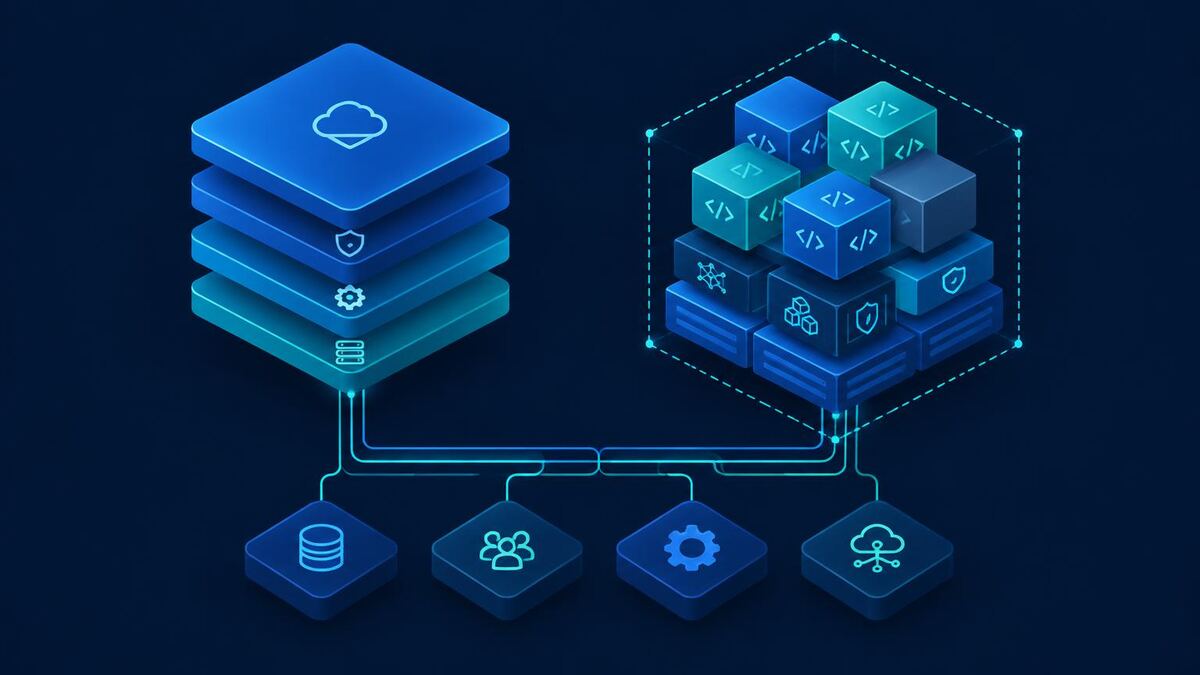
Choosing the Right Microsoft AI Agent Platform
A mid-sized services company wants one AI agent for its staff. It should answer questions from internal policies and project documents, look up customer information in Dynamics 365, trigger approved workflows such as credit checks or service requests, connect with the finance system, respect who is allowed to see what, and leave an audit trail the security team can review.
The technology team narrows the choice to two Microsoft options: build it in Microsoft Copilot Studio, or build a custom agent on Microsoft's Azure AI development platform. Both can produce a working demo within days. That is exactly why the decision is easy to get wrong.
The real decision is not low-code versus code. It is about where the agent's logic lives, who controls identity and tool permissions, how deeply it must integrate, how it will be evaluated and monitored, what it costs to run at scale, and who owns it in three years.
A note on naming. Microsoft's AI platform has evolved from Azure AI Studio to Azure AI Foundry and is now called Microsoft Foundry, according to Microsoft Learn. Its managed agent capability is Foundry Agent Service. Many teams still search for "Copilot Studio vs Azure AI Foundry", so this guide uses that phrase where it helps, and the current name, Microsoft Foundry, in the technical discussion. Documentation was checked in November 2026; preview features change quickly, so verify anything marked preview before relying on it.
What Is Microsoft Copilot Studio?
Copilot Studio is Microsoft's managed SaaS environment for building agents. It runs inside Power Platform environments, so it shares identity, connectors, Dataverse and administration with [Power Platform](/microsoft/power-platform) and Microsoft 365.
What it provides:
- Low-code authoring. Agents are defined with instructions, topics and triggers in a visual designer, with natural language used to draft them.
- Generative orchestration. The agent chooses among knowledge, topics and tools to answer a request, rather than following only scripted paths.
- Knowledge sources. SharePoint, Dataverse, uploaded files, public websites and, with suitable licensing, Microsoft Graph content.
- Actions and tools. Power Platform connectors, agent flows (built on Power Automate), REST APIs, prompts and Model Context Protocol servers.
- Channels. Microsoft Teams, Microsoft 365 Copilot, websites, Dynamics 365 Customer Service and other channels.
- Authentication. Entra ID sign-in, so knowledge and actions can run in the user's context where the connector supports it.
- Governance. Environment strategy, data loss prevention policies, managed environments and admin controls in the Power Platform admin center.
Example: employee support agent. An HR and IT agent in Teams answers leave and expense policy questions from SharePoint, opens a ticket through a connector when it cannot resolve the issue, and checks leave balance through an agent flow. Because users sign in with Entra ID, SharePoint permissions limit what each employee can retrieve.
What to evaluate. You work within Microsoft's abstractions for retrieval, orchestration and conversation state. Control over chunking, ranking and prompt structure is limited compared with your own code. Complex multi-step logic often moves into agent flows, which become their own maintenance surface. Consumption costs grow with use. Application lifecycle management relies on solutions and pipelines, which need discipline to work well across environments.
What Is Azure AI Foundry (Now Microsoft Foundry)?
Microsoft Foundry is an Azure platform that brings models, agents and tools under one resource with shared role-based access control, networking and policies. It is aimed at developers and engineering teams building AI applications.
Relevant capabilities:
- Model selection and deployment. A large catalog of models from Microsoft, OpenAI and other providers, deployed with different capacity and deployment types.
- Foundry Agent Service. A managed runtime for declarative prompt agents and hosted agents that run your own code, with conversations and tool calls managed by the service (Microsoft Learn).
- Tools. File search, code interpreter, OpenAPI tools, Azure Functions, MCP servers and other built-in tools, some of which are in preview.
- Knowledge retrieval. Integration with Azure AI Search and other sources, with control over indexing and retrieval strategy.
- Evaluation and monitoring. Tracing, evaluations and Application Insights integration.
- Identity and security. Entra ID, Azure RBAC, content filters and virtual network isolation options.
- Publishing. Versioned agents and endpoints that can be consumed by your own applications and, according to Microsoft, surfaced in Teams and Microsoft 365 Copilot.
The engineering responsibilities. Foundry gives you building blocks, not a finished product. Your team owns the user interface, authentication flow, tool APIs, authorization logic, data pipelines, evaluation datasets, deployment automation, cost controls and incident response.
Example: custom enterprise agent. A logistics company builds a dispatch assistant inside its own operations portal. A hosted agent calls a route-planning API, reads shipment status from an internal database, retrieves contract terms from Azure AI Search, and drafts customer notifications that require a supervisor's approval before sending. Every tool runs under a managed identity with narrowly scoped permissions, and each release is evaluated against a test set of real dispatch questions. This is what [AI development services](/ai-development-services) and [custom software development](/custom-software-development) look like in practice.
Copilot Studio vs Azure AI Foundry: Key Differences
The table summarizes typical positions. Specific capabilities depend on licensing, region and preview status.
| Dimension | Copilot Studio | Microsoft Foundry |
|---|---|---|
| Primary purpose | Managed agents for business workflows | Platform to build custom AI apps and agents |
| Development audience | Makers, Power Platform and M365 teams | Developers, AI and cloud engineers |
| Low-code capabilities | Core experience | Declarative prompt agents in the portal |
| Custom development flexibility | Extend with APIs, flows, code components | Full code control, any supported framework |
| Model selection | Microsoft-managed defaults, some model choice | Broad catalog, explicit deployments |
| Agent orchestration | Generative orchestration within the product | Service-managed or your own orchestration |
| Knowledge integration | SharePoint, Dataverse, files, sites, Graph | Azure AI Search, file search, custom retrieval |
| Enterprise app integration | Power Platform connectors, agent flows | APIs, Functions, OpenAPI, MCP, custom code |
| Microsoft 365 integration | Native channels and Graph grounding | Possible, requires more setup |
| Dynamics 365 integration | Dataverse and connectors, native fit | Through Dataverse Web API and custom tools |
| Authentication | Entra ID user sign-in, connector auth | Entra ID, managed identities, your app's auth |
| Security controls | DLP, environments, admin center policies | Azure RBAC, Azure Policy, content filters |
| Networking and deployment | SaaS, with Power Platform network options | VNet isolation and private endpoints options |
| Monitoring and evaluation | Built-in analytics and transcripts | Tracing, evaluations, Application Insights |
| Pricing approach | Copilot Credits (packs, pay-as-you-go) | Consumption per model, tool and Azure service |
| Maintenance responsibilities | Content, flows, connectors, ALM | Whole application stack and operations |
| Scalability considerations | Credit capacity, connector throttling | Model quotas, your hosting, service limits |
| Best-fit use cases | Internal assistants, M365-centric workflows | Products, complex integrations, custom UX |
The five differences that matter most:
- Where control sits. Copilot Studio decides much of the orchestration, retrieval and conversation handling for you. Foundry lets you decide, which also means you must.
- The identity model. Copilot Studio is strongest when actions run in the signed-in employee's context through Microsoft connectors. Custom agents often combine user identity with service identities, which requires explicit authorization design.
- The integration surface. Connectors and agent flows reduce effort for standard systems. Proprietary systems, complex transactions and strict error handling usually favor coded tools.
- The user experience. Copilot Studio meets users in Teams, Microsoft 365 Copilot and websites. A product-embedded experience with custom state and screens needs your own application.
- Operational ownership. With Copilot Studio, Microsoft runs the platform and you run content, flows and governance. With Foundry, you operate a software system with releases, evaluations, monitoring and on-call responsibility.
Neither difference reduces to "simple versus advanced". A well-governed Copilot Studio agent can be more enterprise-ready than a poorly operated custom agent.
Architecture Comparison: How Each Platform Works
Architecture A: a Copilot Studio-based agent. The user signs in through a channel. Copilot Studio orchestrates instructions, knowledge and actions, and calls enterprise systems through connectors and flows. Governance and monitoring come from Power Platform administration.
User (Teams, Microsoft 365 Copilot, website, D365) | Agent channel <-- Microsoft Entra ID sign-in | Copilot Studio (Power Platform environment) |-- Instructions, topics, generative orchestration |-- Knowledge: SharePoint, Dataverse, files, sites |-- Actions: connectors, agent flows, REST, MCP | Enterprise systems (Dynamics 365, Dataverse, ERP)
Governance: Power Platform admin center, DLP, managed environments, Purview audit Monitoring: Copilot Studio analytics, transcripts ```
Architecture B: a custom Azure-based agent. Your application authenticates the user, then calls an agent running in Foundry Agent Service or your own orchestration code. The agent calls model deployments, tools and retrieval services inside a security boundary you define. Consequential actions stop for human approval. Evaluations run before releases, and tracing feeds operational monitoring.
User | Custom application (web, mobile, SaaS product) | Authentication (Entra ID / customer identity) | ---- security boundary: your VNet, private endpoints Agent orchestration (Foundry Agent Service or own code) |-- Model services (Foundry Models deployments) |-- Tools: OpenAPI, Functions, MCP, code |-- Retrieval: Azure AI Search, file search |-- Human approval step for consequential actions | Enterprise systems (D365 APIs, ERP, databases)
Evaluation: Foundry evaluations before each release Monitoring: tracing, Application Insights, alerts ```
What differs architecturally. In Architecture A, the platform boundary is the Power Platform environment, and most controls are configuration. In Architecture B, the boundary is your Azure architecture, and most controls are code and infrastructure. Architecture B adds an explicit approval service, an evaluation pipeline and network isolation because you have to build them; in Architecture A, some equivalents exist as product features, and others are simply not available to customize.
Enterprise Integrations: Dynamics 365, Power Platform, and Custom APIs
Integration is usually where agent projects spend most of their effort.
- [Dynamics 365 Sales](/microsoft/dynamics-365-sales) and [Customer Service](/microsoft/dynamics-365-customer-service). Both store data in Dataverse. Copilot Studio can use Dataverse tables as knowledge and act through the Dataverse connector. A custom agent calls the Dataverse Web API with an application user or on behalf of the user.
- [Business Central](/microsoft/business-central). Connectors and APIs exist; custom business rules, posting logic and validation often need dedicated API endpoints or extensions.
- Dataverse and Power Automate. Natural for Copilot Studio through agent flows. Custom agents can call flows too, but you then maintain two orchestration layers.
- Microsoft Teams and SharePoint. Copilot Studio publishes to Teams with little effort and inherits SharePoint permissions when users authenticate. Custom agents must reproduce permission trimming in their retrieval design.
- Custom REST APIs and external databases. Both platforms can call APIs. Copilot Studio uses REST tools or custom connectors; Foundry uses OpenAPI tools, Functions or code. Direct database access by an agent should be avoided in favor of purpose-built APIs.
- ERP and CRM beyond Microsoft. Prebuilt connectors cover many systems; transactional depth and error semantics decide whether they are sufficient.
When connectors reduce effort: standard reads, simple creates and updates, notifications, and approvals. When custom logic is required: multi-record transactions, idempotency, compensation when a step fails, complex validation, high volume, and systems without a reliable connector.
Example: customer service with human approval. A customer requests a refund over chat. The agent retrieves the case and order in Dynamics 365 Customer Service, checks the refund policy, and proposes an amount. It does not issue the refund. A request is sent to a supervisor through an approval step; only after approval does a flow or API update the order and notify the customer. In Copilot Studio this pattern can be built with agent flows and approvals. In a custom build, the approval is a state in your workflow with its own audit record.
AI Agent Development Flexibility and Customization
| Capability | Copilot Studio | Custom on Microsoft Foundry |
|---|---|---|
| Agent instructions | Configured in the designer | Versioned in code or agent definitions |
| Tool calling | Connectors, flows, REST, MCP | Any tool you can expose securely |
| Workflow orchestration | Generative orchestration plus topics and flows | Service runtime or your own orchestrator |
| Multi-step processes | Agent flows, topic logic | Explicit state machines and workflows |
| Model selection | Limited, with options to bring Foundry models | Full catalog and per-task model choice |
| Custom business logic | Flows, Power Fx, custom connectors | Application code |
| Human-in-the-loop | Approvals in flows, handoff to agents | Custom approval states and interfaces |
| Error handling | Flow retries, topic fallbacks | Fully defined retries, compensation |
| State and context | Managed conversation state, variables | You design storage and memory |
| Evaluation pipelines | Testing panel and evaluation features | Datasets, evaluators, CI gating |
| Application UX | Channel-defined | Anything you build |
Write down the requirements before choosing: which systems, which actions, which users, what accuracy is acceptable, which actions need approval, which channels, what volumes, and what audit evidence is needed. Teams that pick the platform first tend to bend the requirements to fit it, or rebuild later. Our [build vs buy AI agents](/blog/build-vs-buy-ai-agents) guide covers the broader ownership question.
Not Sure Which Microsoft AI Platform Fits Your Business?
YoungBrainz Infotech helps organizations assess their workflows, Microsoft integrations, security requirements, and AI architecture before committing to a platform.
Security, Governance, and Compliance
Both platforms rest on Microsoft Entra ID and Microsoft's cloud controls. What differs is how much is native, how much is configuration, and how much is your engineering.
| Area | Copilot Studio | Custom on Microsoft Foundry |
|---|---|---|
| Entra ID authentication | Native, configurable per agent | Native for Azure resources; app auth is yours |
| Role-based access | Environment and agent sharing roles | Azure RBAC on resources; app roles are yours |
| Least privilege for tools | Connector auth choices, DLP policies | Managed identities, scoped API permissions |
| Prompt injection defense | Platform protections, plus your design | Content filters, plus your design and testing |
| Human approval | Configurable through flows | Custom engineering |
| Audit logging | Purview audit, transcripts, admin logs | Azure logs, tracing; app audit is yours |
| Data residency | Depends on environment geography | Depends on resource region and deployment type |
| Network security | Power Platform networking options | VNet and private endpoint options |
Points that apply to both:
- Prompt injection. Retrieved documents, emails and web pages can contain instructions. Treat model output as untrusted when it drives tool calls, validate parameters server-side, and limit what each tool can do.
- Tool execution permissions. Decide whether a tool runs as the user or as a service identity. Service identities with broad rights are the most common serious design flaw.
- Human approval for consequential actions. Payments, refunds, record deletion, external communications and access changes should require approval.
- Retention and residency. Check where transcripts, conversation state, logs and indexes are stored, for how long, and in which geography. Global deployment types can process data outside your chosen region; confirm the deployment type for your obligations.
- Monitoring and incident response. Define who reviews agent behavior, how an agent is disabled quickly, and how incidents are investigated.
Neither platform automatically makes a solution compliant with GDPR, HIPAA or sector rules. Compliance comes from configuration, process and evidence. The [Azure OpenAI vs OpenAI API](/blog/azure-openai-vs-openai-api) article covers data handling at the model layer in more depth.
Microsoft Copilot Studio vs Azure AI Foundry Pricing
Prices change and vary by region and agreement, so this section explains the mechanisms and links to official sources rather than quoting figures.
Copilot Studio. Usage is measured in Copilot Credits, which replaced messages as the billing unit on 1 September 2025 (Microsoft Learn). Credits are bought as prepaid capacity packs, through a pay-as-you-go meter on an Azure subscription, or through prepurchase plans, and are pooled across the tenant. Different features consume different amounts: a classic answer, a generative answer, an agent action and tenant graph grounding each have their own rates (billing rates). Some usage by Microsoft 365 Copilot licensed users is not charged. Bring-your-own models from Foundry are billed separately. Add Dataverse capacity, premium connector licensing for flows, and the people who build and govern agents. Check the Copilot Studio licensing guide and the agent usage estimator.
Microsoft Foundry. Costs come from several meters:
- Model inference, usually per token, varying by model and deployment type, or provisioned throughput
- Agent Service and tool consumption, for tools such as file search or code interpreter where applicable
- Hosting for your application and any hosted agent compute
- Storage for files, conversation data and logs
- Search and retrieval, typically Azure AI Search tiers
- Networking, private endpoints and data transfer
- Monitoring, Application Insights and log ingestion
- Development and maintenance, which often exceed platform costs
See Foundry pricing and the Azure pricing calculator.
Total cost of ownership framework. The scenarios below are illustrative assumptions, not Microsoft prices or measured results. Use them to structure your own estimate.
| Scenario (assumptions) | Copilot Studio cost drivers | Custom Foundry cost drivers | Typical lean |
|---|---|---|---|
| Small internal knowledge assistant: 200 users, SharePoint content, no write actions | Credits for generative answers, maker time | Tokens, AI Search tier, app hosting, build effort | Copilot Studio |
| Department workflow agent: 1,000 users, 5 actions, approvals, D365 | Credits for actions, flow licensing, ALM | Tokens, tools, approval service, integration build | Depends on integration depth |
| Enterprise multi-system agent: 10,000+ users, ERP and CRM, strict audit | High credit volume, connector limits, governance | Provisioned capacity, platform team, evaluation, ops | Often custom or hybrid |
Model three years, include people costs, and compare at expected adoption rather than pilot usage. A cheap pilot on either platform says little about production cost.
Performance, Scalability, and Reliability
There is no meaningful general benchmark between these platforms, because latency depends mostly on model choice, retrieval and tool calls. Evaluate:
- Response latency end to end, including retrieval and each tool call, at the 95th percentile, not the average
- Concurrent usage at realistic peaks, such as Monday mornings or month-end
- Model throughput and quotas for your deployment type, and whether provisioned capacity is needed
- Tool execution time, since a slow ERP API dominates response time regardless of platform
- Service quotas and throttling, including connector request limits in Power Platform and Azure service limits
- Retry and failure handling, including what the user sees when a system is unavailable
- Monitoring of failures, slow tools and low-quality answers
- Capacity planning for growth in users and actions
- Reliability requirements, such as whether the agent is a convenience or part of a critical process
Test representative workloads with real documents and real APIs before committing. Load test the integration layer, not just the model.
Five Real-World Enterprise AI Agent Use Cases
1. Internal HR and employee knowledge assistant
- Business problem: Employees cannot find policies, and HR answers the same questions repeatedly.
- Recommended approach: Copilot Studio.
- Why it fits: Content lives in SharePoint, users are in Teams, and permission-aware retrieval through Entra ID covers access control.
- Main technical risk: Outdated or conflicting documents producing confident wrong answers.
- What could change it: A requirement for a custom portal, multilingual retrieval tuning or strict answer evaluation beyond the product's capabilities.
2. Dynamics 365 customer service agent
- Business problem: Agents spend time searching cases and knowledge articles, and routine requests wait for humans.
- Recommended approach: Copilot Studio, with hybrid extensions where needed.
- Why it fits: Native alignment with Dataverse and Dynamics 365 Customer Service, and built-in escalation to human agents.
- Main technical risk: Write actions such as refunds executed without approval or with excessive permissions.
- What could change it: Very high volumes with cost sensitivity, or complex orchestration across non-Microsoft systems.
3. Construction project operations agent
- Business problem: Project managers need progress summaries, document lookups and approvals across project documents and ERP.
- Recommended approach: Hybrid.
- Why it fits: Copilot Studio in Teams for site and office staff, calling custom APIs that enforce project-level role-based access and ERP rules.
- Main technical risk: Project-level permissions that do not map cleanly onto SharePoint or ERP security.
- What could change it: If all data sits in Dynamics 365 or Business Central with clean security roles, a pure Copilot Studio design may be enough.
4. Financial document processing agent
- Business problem: Invoices and statements must be extracted, validated against purchase orders and approved.
- Recommended approach: Custom Azure solution.
- Why it fits: Validation rules, exception queues, audit trails and segregation of duties are application logic that benefits from code, testing and evaluation datasets.
- Main technical risk: Extraction errors passing validation into posted transactions.
- What could change it: Low volume with standard documents, where AI Builder or Copilot Studio flows may be adequate.
5. SaaS product with embedded AI agent capabilities
- Business problem: A software company wants an agent inside its product for its own customers.
- Recommended approach: Custom on Microsoft Foundry.
- Why it fits: It needs a custom interface, per-tenant data isolation, product APIs and full ownership of the roadmap. See our [SaaS development](/saas-development-company) work.
- Main technical risk: Data leakage across tenants through shared retrieval indexes or caching.
- What could change it: If the product lives entirely inside Microsoft 365 and customers already use Copilot, publishing an agent there may reach users with less effort.
When Should You Choose Microsoft Copilot Studio?
Copilot Studio is usually the stronger choice when:
- The organization is Microsoft 365-centric and users work in Teams
- The workflows are standard internal processes such as HR, IT, procurement or sales support
- The goal is departmental automation, possibly many smaller agents
- Low-code development is a requirement, so business teams can maintain content
- Custom engineering capacity is limited
- Native connectors and Dataverse meet the integration requirements
The trade-offs. You accept the product's orchestration and retrieval behavior, a consumption cost that grows with adoption, and some limits on testing and release engineering. Low-code does not mean no maintenance: flows, connectors, knowledge content and environment governance need owners. Our [Microsoft Copilot services](/microsoft/copilot) team often starts here.
When Should You Choose Microsoft Foundry for Custom AI Agents?
A custom agent on Microsoft Foundry is usually justified when:
- The workflow is proprietary and is a competitive advantage
- The agent is part of a SaaS product or customer-facing application
- Integrations are complex, transactional or involve many non-Microsoft systems
- Orchestration is specialized, such as multi-agent designs, long-running processes or strict state handling
- You need advanced control over models, retrieval, network isolation or deployment regions
- The user experience must be custom
- The application has its own operational needs, such as SLAs, tenant isolation or release gating
Custom development is not automatically better. It adds a software system to operate, and its value has to be shown in requirements that a managed platform cannot meet. If a Copilot Studio agent covers the need, building your own is usually poor use of engineering budget. Our earlier comparison of [Copilot Studio vs custom AI agents](/blog/copilot-studio-vs-custom-ai-agents) explores this from the build side.
Can You Combine Copilot Studio and Azure AI Services?
Yes, and in larger organizations hybrid designs are common. Documented patterns include:
- Bring a Foundry model into Copilot Studio for prompts or generative answers, billed separately from Copilot Credits.
- Use Azure AI Search as a knowledge source so retrieval runs over an index your team controls.
- Call custom APIs or Azure Functions from Copilot Studio as tools, keeping business rules in code.
- Connect Copilot Studio to other agents, including agents built in Foundry, where Microsoft's multi-agent features support it. Check current status, since some of these capabilities have been in preview.
Benefits. Business teams keep a managed front end in Teams and Microsoft 365, while engineers own the parts that need testing and control.
Limitations. Two platforms to govern, two cost models, and more places where failures can occur. Debugging across the boundary is harder.
Governance implications. Define which team owns each layer, how identities pass between them, where logs are correlated, and how a change in one layer is tested against the other. Verify each integration in Microsoft's documentation for your region before designing around it. For grounding strategy itself, see [RAG vs fine-tuning](/blog/rag-vs-fine-tuning).
Common Mistakes Enterprises Make When Selecting Microsoft AI Platforms
- Choosing a platform before defining the use case. The demo decides instead of the requirements.
- Assuming low-code means zero maintenance. Content, flows, connectors and environments still need owners and change control.
- Underestimating integration complexity. Reading data is easy; reliable writes with validation and error handling are not.
- Ignoring identity and data permissions. Agents that run with service accounts can expose data users should not see.
- Comparing only initial licensing costs. Engineering, operations and adoption-driven consumption dominate over time.
- Overengineering standard business workflows. A custom stack for a policy assistant is rarely justified.
- Skipping evaluation and monitoring. Without test sets and review, quality degrades silently as content and models change.
- Deploying agents with excessive tool permissions. Every tool should do one narrow thing with the least access needed.
A Practical Decision Framework for Enterprise Teams
Score each option from 1 to 5 against each criterion for your specific use case, multiply by the weight and sum. The weights are illustrative; adjust them to your priorities.
| Evaluation criterion | Suggested weight |
|---|---|
| Workflow complexity | 20% |
| Integration requirements | 20% |
| Security and governance | 20% |
| Customization requirements | 15% |
| Total cost of ownership | 15% |
| Team capabilities and delivery timeline | 10% |
Score with evidence, not opinion: run a short proof of concept on the hardest integration, estimate costs at expected adoption, and ask security to review both designs. If the scores are close, prefer the simpler option and revisit when requirements change. A strong score for each option on different criteria often points to a hybrid design.
Decision checklist:
- Use case, users and success metrics written down
- Systems, actions and data sources listed, with owners
- Actions requiring human approval identified
- Identity model for each tool decided
- Data residency, retention and audit requirements confirmed
- Expected volumes and peak load estimated
- Three-year cost model for each option
- Team skills and ownership after launch confirmed
- Evaluation approach and acceptance threshold agreed
A 90-Day Enterprise AI Agent Implementation Roadmap
| Phase | Days | Focus |
|---|---|---|
| Discovery | 1 to 15 | Use cases, requirements, stakeholders, integrations, success metrics |
| Architecture and platform evaluation | 16 to 30 | Compare Copilot Studio, custom Azure and hybrid against the decision matrix |
| Pilot implementation | 31 to 60 | Narrow proof of concept with controlled integrations and a small user group |
| Security and reliability validation | 61 to 75 | Permissions, tool behavior, retrieval accuracy, monitoring, failure handling |
| Production readiness | 76 to 90 | Deployment controls, operational ownership, support, monitoring, rollout plan |
The timeline is a planning frame for one well-scoped use case. Complex integrations, security approvals and organizational readiness can extend it, and simple knowledge assistants can move faster.
Final Verdict: Copilot Studio or Azure AI Foundry?
| Situation | Recommendation |
|---|---|
| Microsoft-centric business workflows, managed experience, low-code ownership | Copilot Studio |
| Product-embedded agents, complex integrations, deep control requirements | Custom on Microsoft Foundry |
| Managed front end plus engineered business logic or retrieval | Hybrid |
Choose Copilot Studio for suitable Microsoft-centric business workflows and managed low-code agent experiences. Choose custom Azure-based development when requirements justify deeper engineering control. Choose a hybrid approach when managed capabilities and custom services complement each other.
The best platform is the one that fits your organization's workflow, integration, governance and ownership requirements. Define those first, prove the hardest part early, and let the evidence decide.
Frequently Asked Questions
What is the difference between Microsoft Copilot Studio and Azure AI Foundry?
Copilot Studio is a managed, low-code SaaS environment for building agents inside the Power Platform and Microsoft 365. Azure AI Foundry, now Microsoft Foundry, is an Azure platform for developers to deploy models, build agents in code or declaratively, and run them inside their own Azure architecture.
Is Azure AI Foundry now called Microsoft Foundry?
Yes. Microsoft documentation describes the evolution from Azure AI Studio to Azure AI Foundry to Microsoft Foundry, which is the current name. The underlying Azure resource type did not change, and the agent capability is called Foundry Agent Service.
Is Copilot Studio suitable for enterprise AI agents?
Yes, for many internal and customer-facing scenarios. It provides Entra ID authentication, environment governance, data loss prevention policies and analytics. Suitability depends on whether its connectors, orchestration and channels meet your workflow, security and scale requirements.
Can Copilot Studio connect with Dynamics 365?
Yes. Copilot Studio can use Dataverse as knowledge, call Dynamics 365 through connectors and agent flows, and publish into Dynamics 365 Customer Service experiences. Complex write operations still need careful permission design and testing.
When should businesses build custom AI agents on Azure?
When the agent is part of a product, needs a custom user experience, requires orchestration or model control that a managed tool cannot provide, or must run inside a specific network and deployment architecture. The requirement should justify the engineering cost.
Which platform is more cost-effective?
Neither is inherently cheaper. Copilot Studio costs scale with Copilot Credits consumed, while Foundry costs combine model tokens, agent tools, search, hosting and engineering time. Model total cost over three years using realistic usage, not licence prices alone.
Can Copilot Studio and Azure AI services work together?
Yes. Microsoft documents options such as using Foundry models in Copilot Studio, connecting to Azure AI Search, and calling custom APIs. Verify the specific integration pattern, region and preview status before committing to it.
What are the security considerations for Microsoft AI agents?
Identity and least privilege, which identity runs each tool, prompt injection through retrieved content, human approval for consequential actions, audit logging, data retention and residency, and network isolation. Neither platform makes a deployment compliant automatically.
How long does enterprise AI agent development take?
A narrow pilot can often be built in weeks; production readiness takes longer because of security review, integration testing and evaluation. A 90-day roadmap is a reasonable planning frame for one use case, but complexity and organizational readiness decide.
Do businesses need AI developers to use Copilot Studio?
Not for simple agents. Makers can build knowledge and workflow agents without code. Enterprise agents still benefit from developers and architects for custom connectors, APIs, ALM, security design and testing.
Build the Right Enterprise AI Agent
From Microsoft Copilot Studio integrations to custom Azure-based AI development, YoungBrainz helps businesses design and implement AI solutions aligned with real operational needs.